CRM for Field Service and Technical Support Teams
A service CRM that tracks breakdown requests by priority and SLA and collects cases from email and web forms in a single queue.
Read moreDistribution & Wholesale
Give dealers and key accounts their own price books, build quotes within discount limits and approval rules, and convert the accepted quote into an order in one click.
Start a 14-Day Free TrialPrice lists kept in spreadsheets go stale; reps quote outdated prices and the gap only shows up after the deal.
Every rep discounts differently, and the margin loss is only visible at month-end.
Accepted quotes are re-keyed into orders by hand, so line items and totals are typed twice.
Nobody knows what happened to a sent quote; if the customer goes quiet, the deal quietly disappears.
Separate price books for dealers, retail and corporate customers, with tiered pricing and minimum/maximum quantity rules.
Read moreA maximum discount per price book; quotes above the amount or discount you define go to a manager for approval.
Read moreDefine products that are sold together as bundles and block invalid combinations with compatibility rules.
An accepted quote becomes an order with its lines, discounts and currency, and can be linked to a contract.
Branded PDF quotes from your own template; quote and order numbers are generated automatically and sequentially.
Follow-up tasks and automated email sequences for every quote; win and loss reasons are reported.
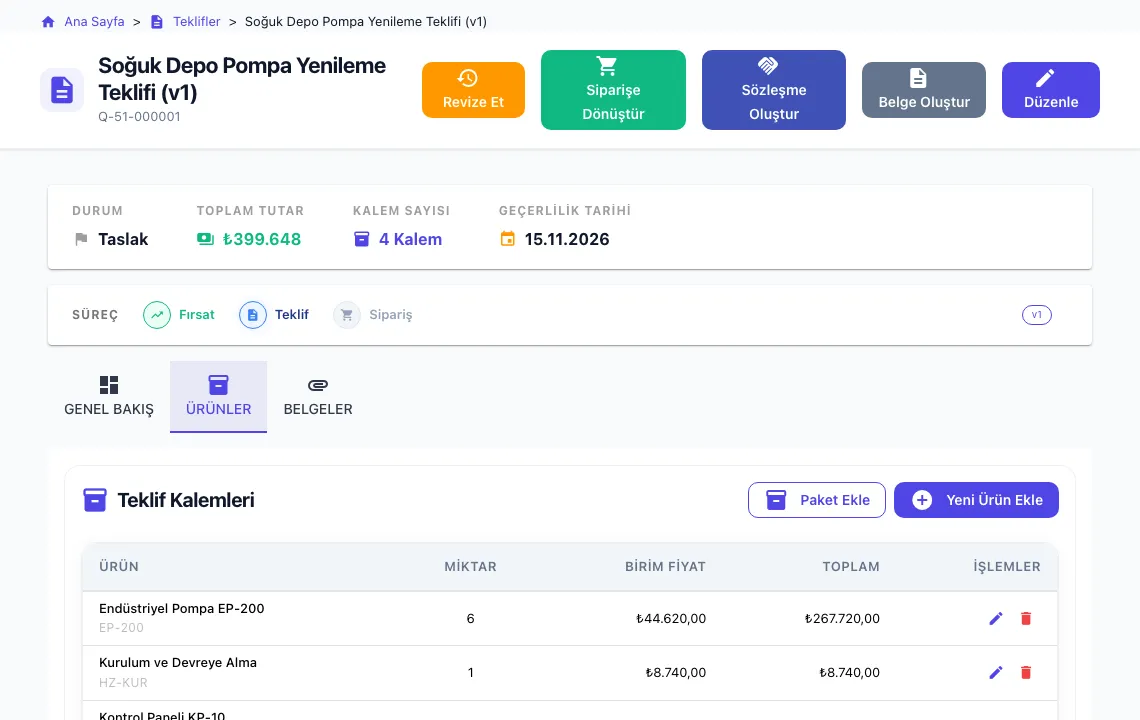
The rep picks a product; the unit price comes from the dealer’s price book and discount and quantity rules are applied as lines are added. Totals and VAT are calculated automatically.
Upload your product catalogue and price books with the Excel import wizard.
Define the price books your team uses and the maximum discount for each.
Add your logo, payment and delivery terms to the PDF quote template.
The rep prepares the quote, a manager approves it when needed, and the order is created in one click.
Yes. You can define as many price books as you need and choose which one a quote or opportunity uses. Tiered prices and quantity limits work per price book.
The maximum discount defined on the price book is enforced. You can also add an approval process for quotes above a given amount or discount rate.
Yes. Quotes and orders can be prepared in different currencies, and the currency is carried over from quote to order.
Quote and order data can be sent to other systems via the REST API and webhooks. If there is no ready-made connector, we review your integration needs with you.
The CRModular application interface is currently in Turkish. This website and its documentation are available in English, and menu names in our help articles are shown in Turkish with an English explanation.
Walk through your price books and quote template with us in a live demo.
Request a DemoA service CRM that tracks breakdown requests by priority and SLA and collects cases from email and web forms in a single queue.
Read more