Support Ticketing and SLA Management
Collect cases from email and web forms in one queue and resolve them on time with priority-based SLA policies.
Read moreFeature • Quote Management
Bring price books, bundles, discount rules and approvals into one screen; send a branded PDF quote and turn the accepted quote into an order.
Start a 14-Day Free TrialPrice books per customer group, volume-based tiered prices and minimum/maximum quantity rules.
Bundle products that sell together and block invalid combinations with compatibility rules.
A maximum discount per price book; lines above the limit cannot be saved.
Single or multi-step manager approval based on amount or discount; a quote awaiting approval is locked for editing.
PDF quotes from a template you design; quote, order and contract numbers are automatic and sequential.
Accepted quote lines are carried into an order with their discounts and currency, and can be linked to a contract.
The quote starts with the linked opportunity and customer details.
Prices and discount limits come from the price book automatically.
Quotes that meet your criteria go through the approval process you defined.
Generate the branded quote document and share it with the customer.
The accepted quote becomes an order in one click.
When you pick a product, the price comes from the selected price book; a line that exceeds the discount limit is not saved. Subtotal, VAT and grand total update instantly.
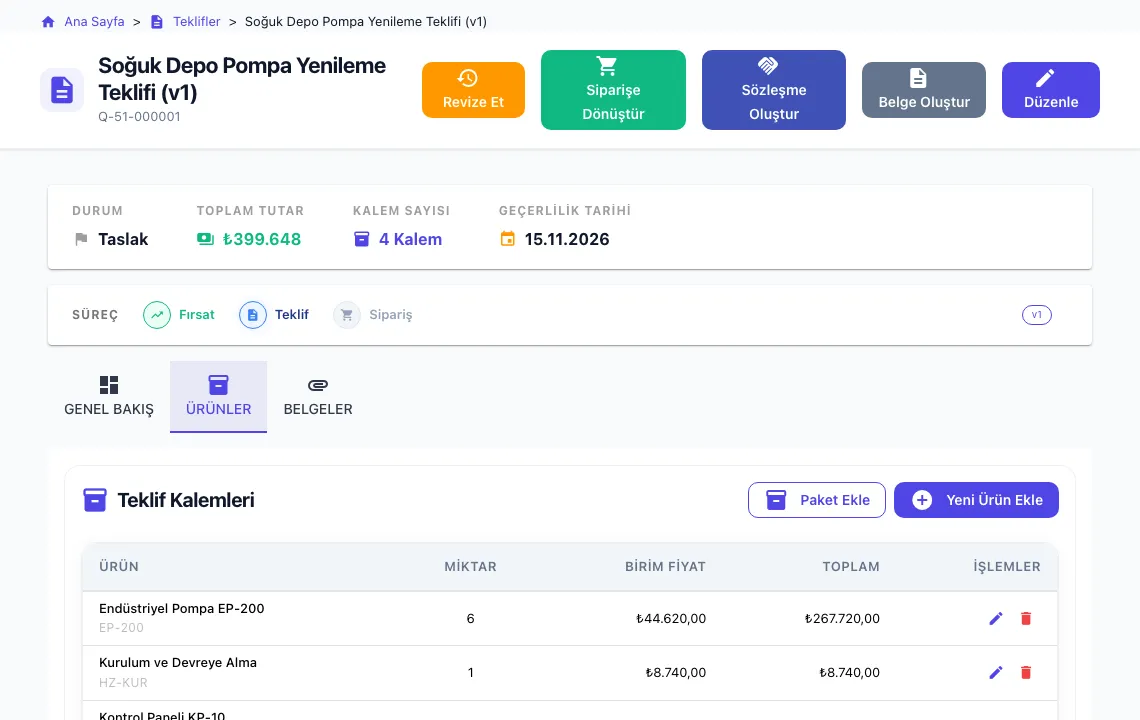
Check the quote lines, choose a template with Create Document and preview the quote; save it as a PDF from the browser’s print dialog.
Yes. In the document template editor you build your own template with your logo, colours, terms and merge fields.
Quotes, orders and contracts are numbered automatically and sequentially; deleted records never cause duplicate numbers.
The quote is converted into an order in one click; lines, discounts and currency are carried over. You can also link it to a contract.
The CRModular application interface is currently in Turkish. This website and its documentation are available in English, and menu names in our help articles are shown in Turkish with an English explanation.
Prepare your first quote today with price books and an approval flow.
Request a DemoCollect cases from email and web forms in one queue and resolve them on time with priority-based SLA policies.
Read moreManage KVKK processes inside your CRM: consent records, deletion and anonymisation requests, a data inventory and role-based access.
Read more